A WALK THROUGH - FIVE SCREENS

What it feels like,
inside Freyja.

A white minimalist plant illustration with a stem and symmetrical leaf-like shapes on a black background.

A short tour, screen by screen. The thinking is already done — what follows is what that looks like, in your hand.


01

TODAY’S DASHBOARD · THE HOME SCREEN

A quiet beginning.


You open the app. You see where you are.

Freyja is a cycle-syncing meal planning companion rooted in feminine wellness and herbal wisdom. We help women eat in rhythm with their bodies — not as a diet, not as optimization, but as a return to something ancient and personal.
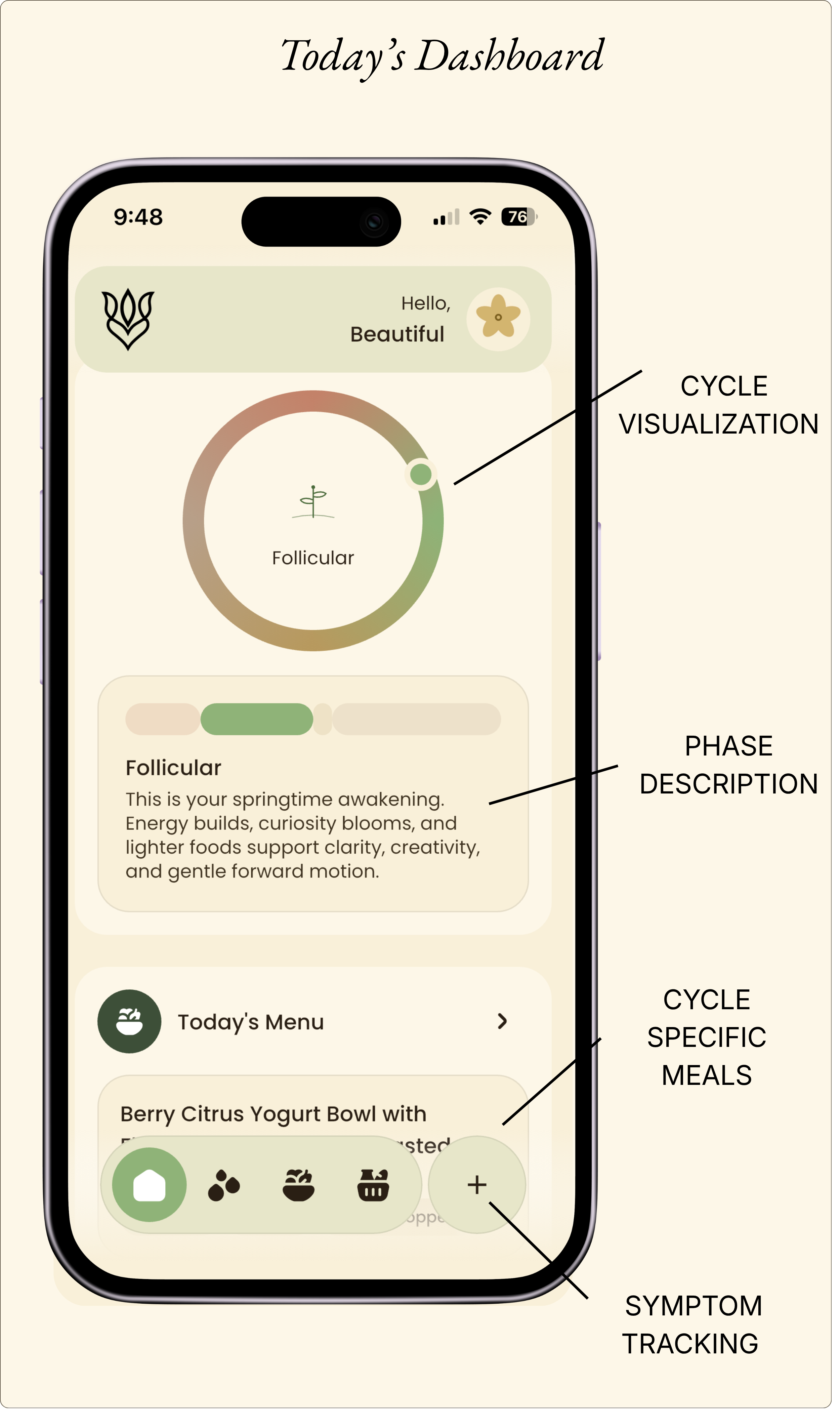
A screenshot of a mobile health app dashboard displaying a cycle visualization with a phase description about the follicular phase. The interface shows the current cycle day, cycle-specific meals, a menu button, symptom tracking icons, and labels for cycle visualization, phase description, cycle, specific meals, and symptom tracking.

02

YOUR CYCLE · THE WHOLE MONTH

A month, mapped gently.


Your cycle isn’t a 28 day average. It’s yours.

Diving deep into your own cycle. Not the average cycle yours. See your phases so you can plan accordingly. Look at past cycles and recognize patterns. knowing your symptoms is the beginning of stopping the fight against your body.
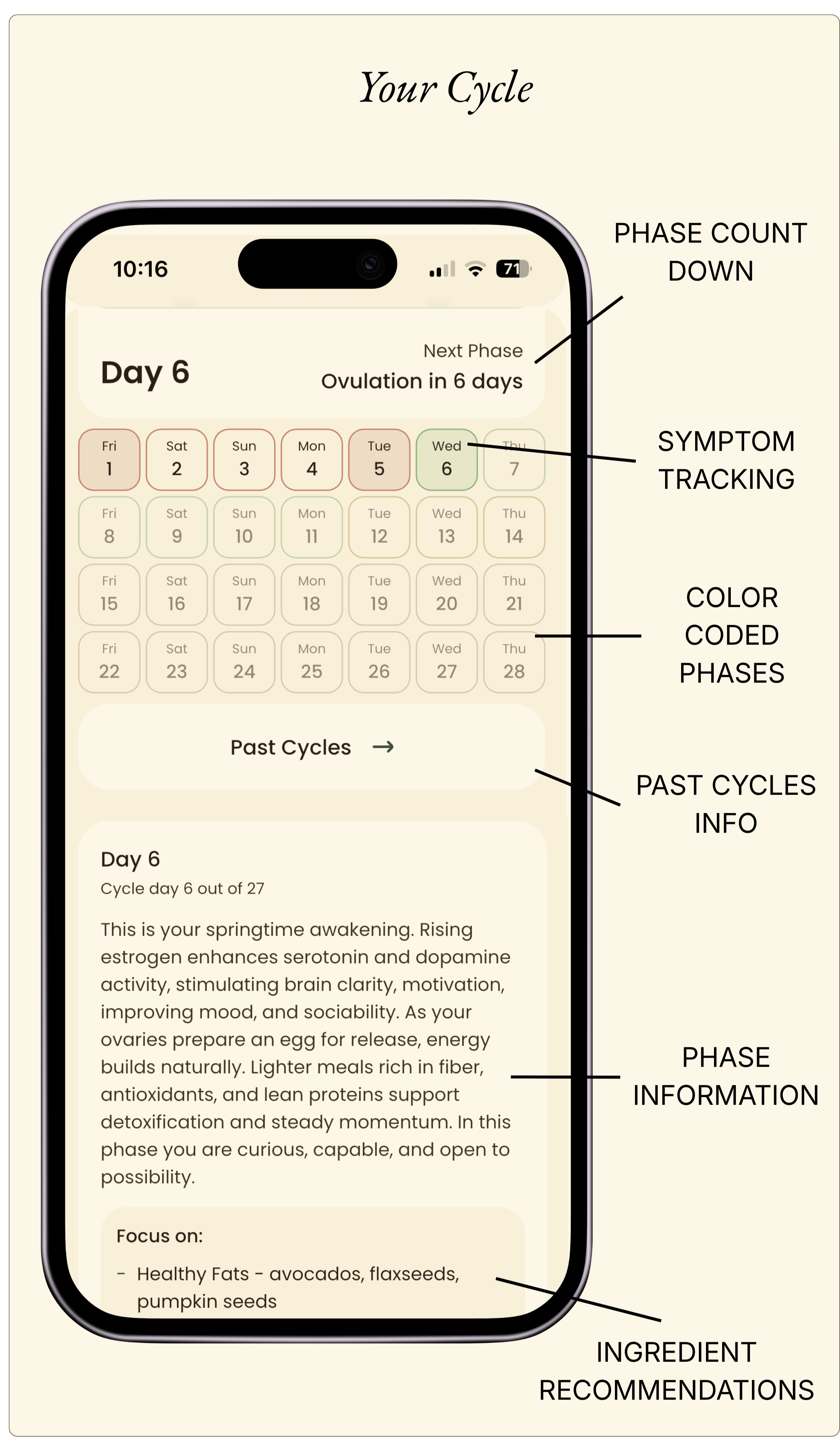
Mobile phone screen displaying a menstrual cycle tracker app with day 6 highlighted, phase details, and ingredient recommendations. Labels indicate phase countdown, symptom tracking, color-coded phases, past cycles info, and phase information.

02

YOUR MENU · A WEEK OF MEALS

A week, already gathered.


Seven days of meals shaped around your phase.

When the week begins, your menu is already set. Whether is is breakfast, lunch or dinner, each chosen for the rhythm you’re moving through. Tonight’s meal is held at the top, so you don’t have to scroll to remember.

Don’t love a recipe? Swap with another meal or get a new recipe. Nothing is fixed. Everything is yours.
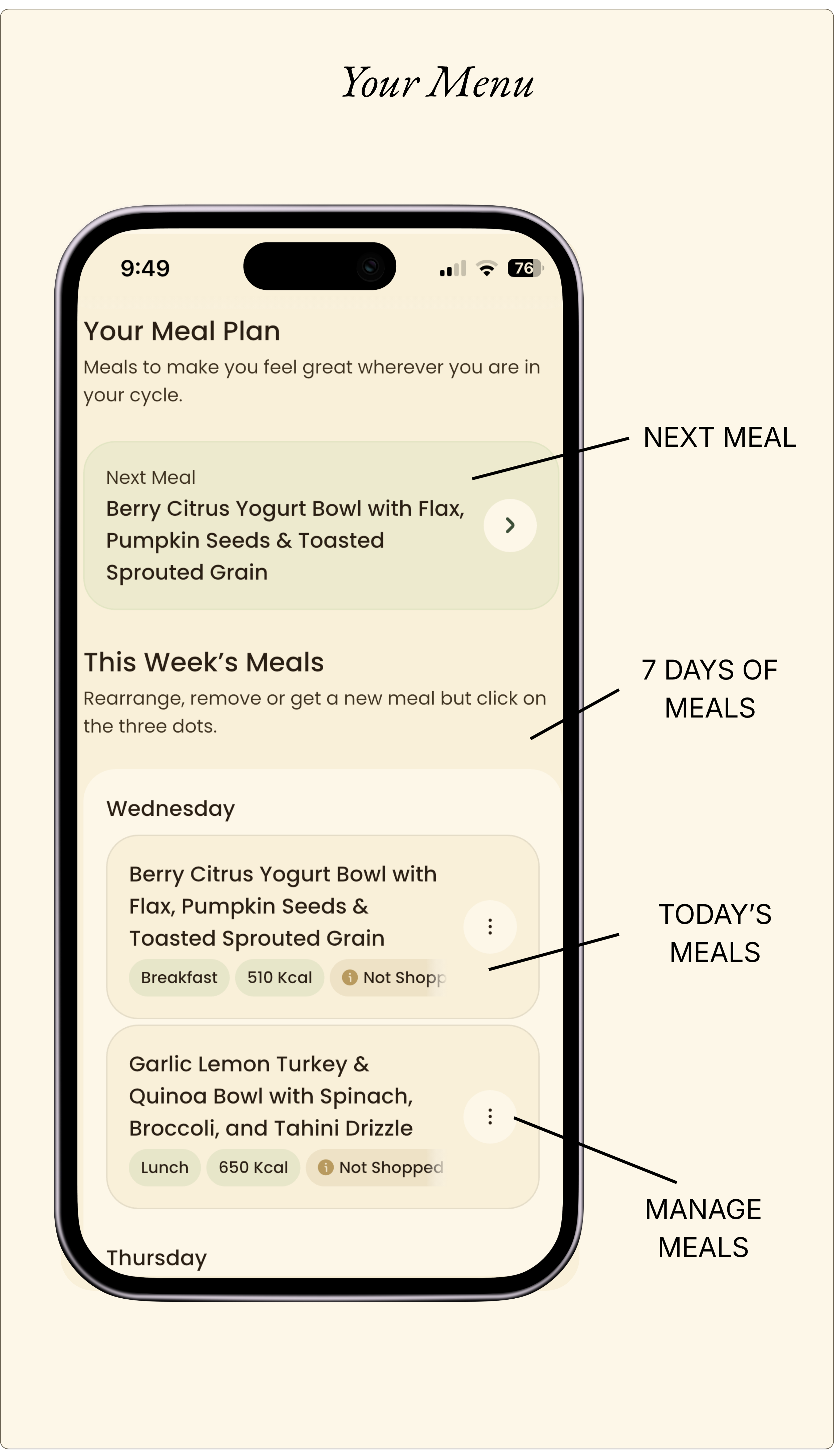
A meal planning mobile app screen showing a weekly meal plan with sections for next meal, current day's meal, and managing meals. The next meal is a berry citrus yogurt bowl with flax and toasted grains. Today's meal is garlic lemon turkey with quinoa and spinach. The interface includes labels for meals, calories, shopping status, and options to manage or reorder meals.

"Your body has been doing this forever. Freyja is a way to listen."

AN INTERLUDE


Stylized green plant with symmetrical leaf shapes on a vertical stem

04

GROCERY LIST · ONE BASKET

One basket, gathered for the week.


Your meals, turned into a single list.

Choose how many days you’re shopping for. Your list assembles itself from the meals already on your menu, with amounts measured to the recipes you’ll actually cook. Add your own items or edit what is on the list.

Head to the grocery store and check away or when you are ready, send it to Instacart.
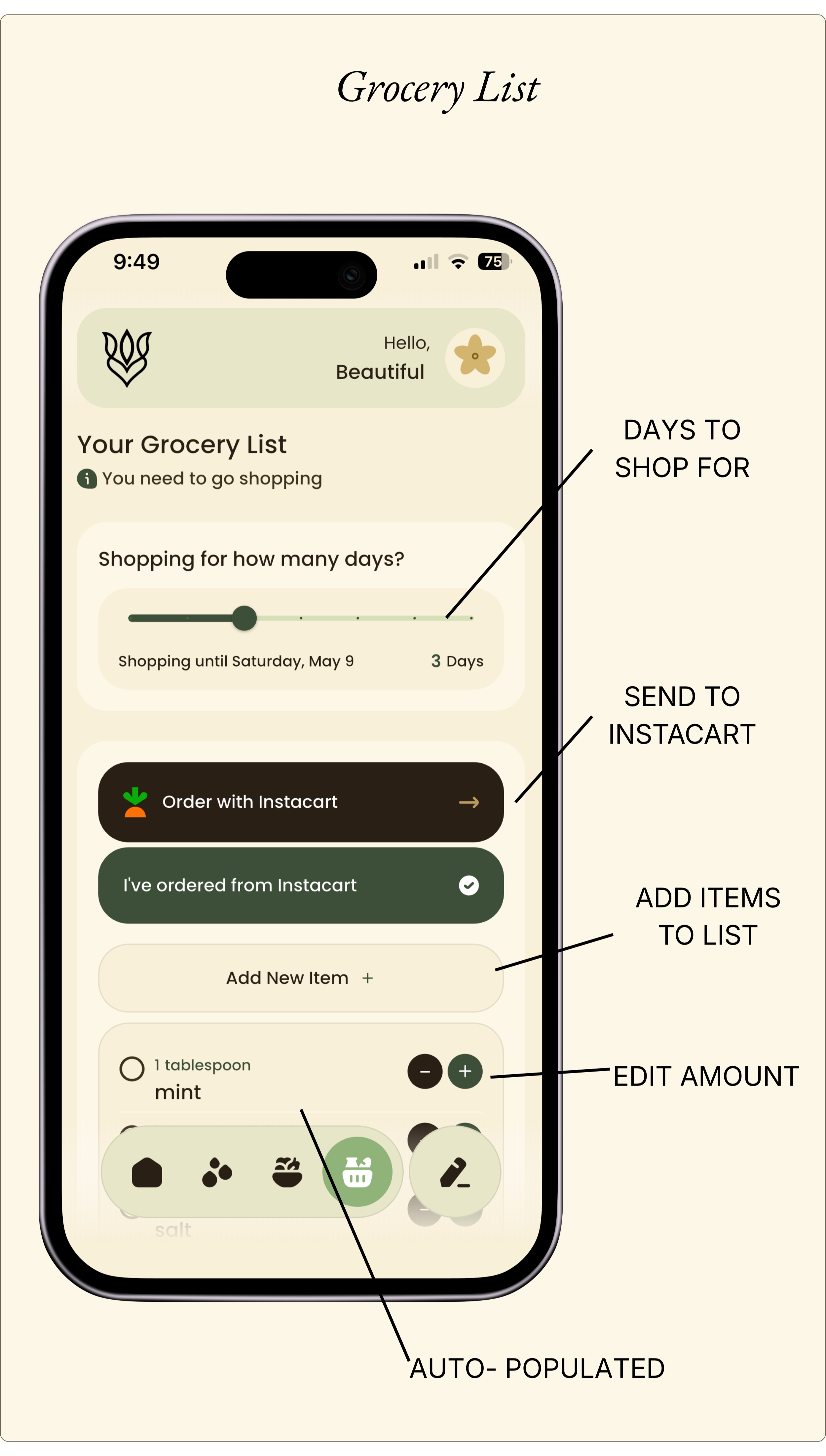
A smartphone screen displays a grocery list app with a beige and green color scheme. The app shows options to set days to shop, send order to Instacart, and add items to the list. Icons at the bottom include a home, paw, gift, shopping basket, and pencil, with the shopping basket icon highlighted and labeled as auto-populated.

05

RECIPE · ONE MEAL, OPENED

Each meal, ready to cook.


Tap any meal in your menu and begin your creation.

See the ingredients that you have gathered. Start the preparations with the detailed instructions. Start to smell and savour the experience as you plate a meal that truly satisfies your needs.

Star a meal that earned its place in your kitchen. Share with the friend who asks what you cooked.
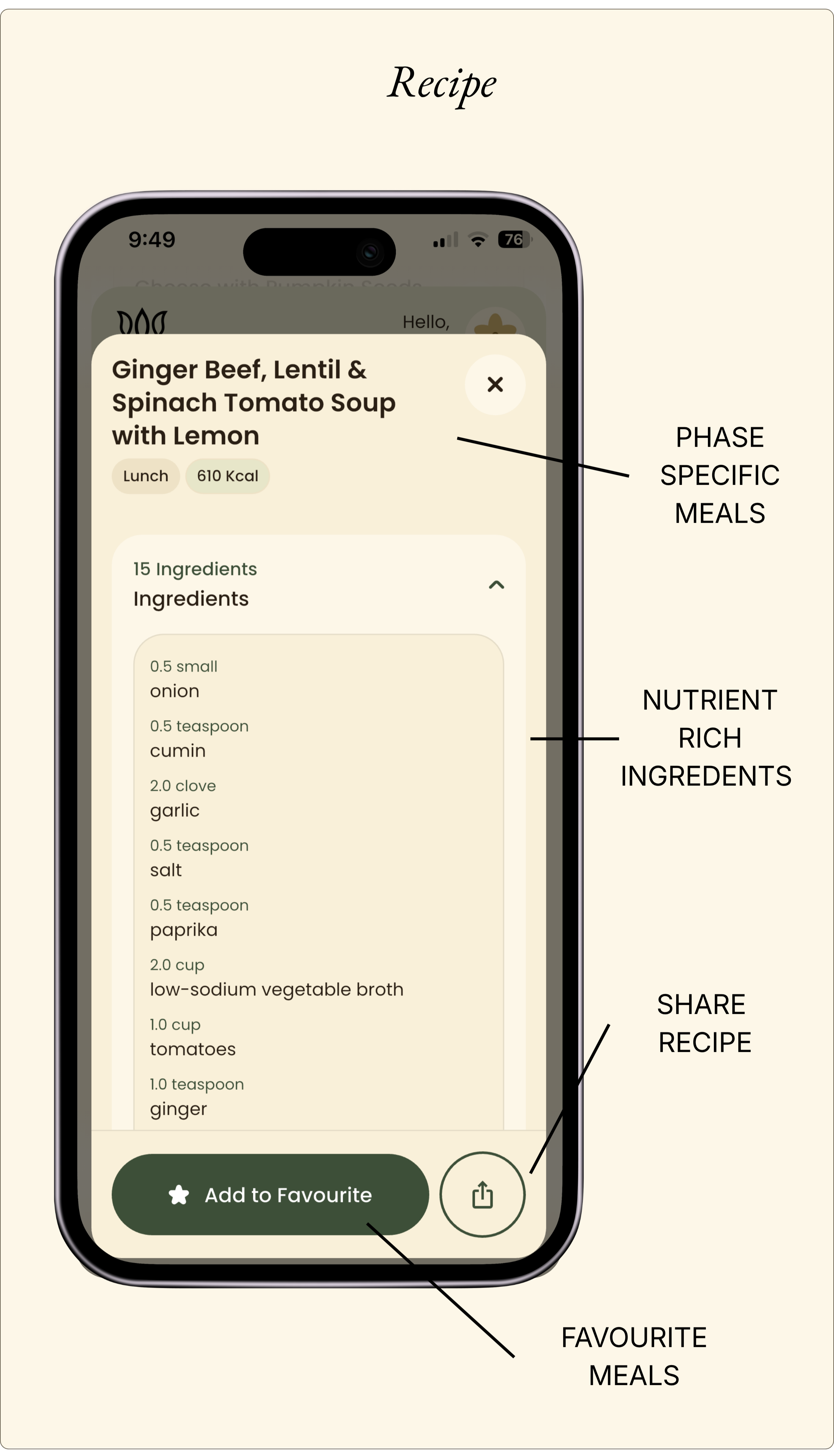
A smartphone screen displaying a recipe app with a recipe titled 'Ginger Beef, Lentil & Spinach Tomato Soup with Lemon.' The app shows phase-specific meal options labeled 'Lunch' with 610 calories, and a list of nutrient-rich ingredients such as onion, cumin, garlic, salt, paprika, low-sodium vegetable broth, tomatoes, and ginger. The screen features icons for sharing the recipe and adding the meal to favorites.